🎉 Improvements released today!
Two new releases today for you 🚀
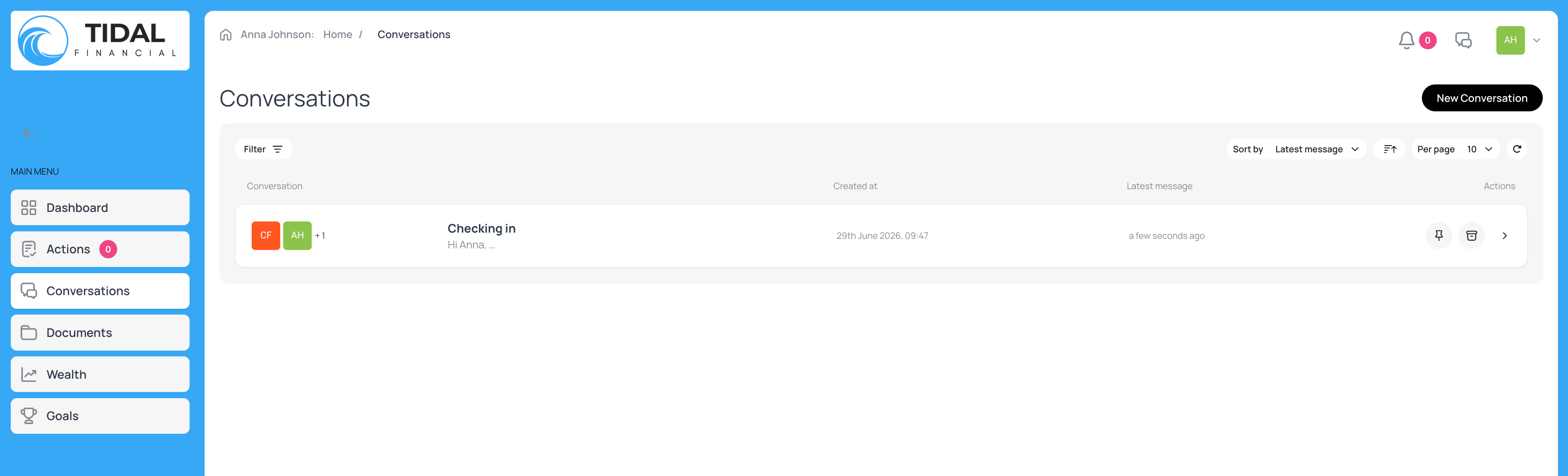
Firstly we’ve made some enhancements to the Conversations experience in Plannr! Following feedback from users around our Conversations functionality in Plannr, we’ve undertaken some work to improve the experience for clients and your teams.
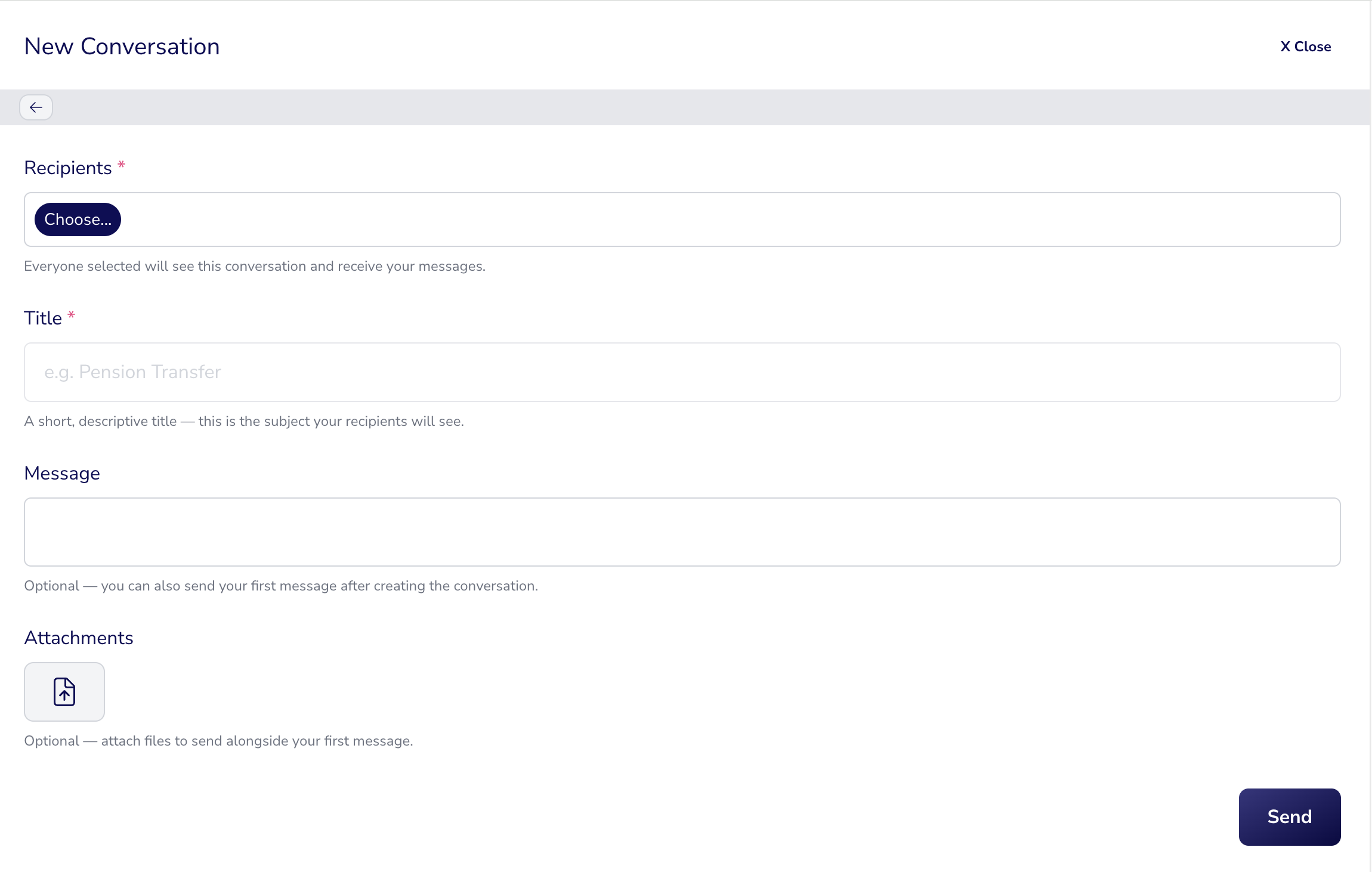
From the client’s perspective, starting a new conversation with their advice team offers much more clarity on who the message will be delivered to, along with the title block and message description now being in the same pop out window. No more long messages being sent in the title field!
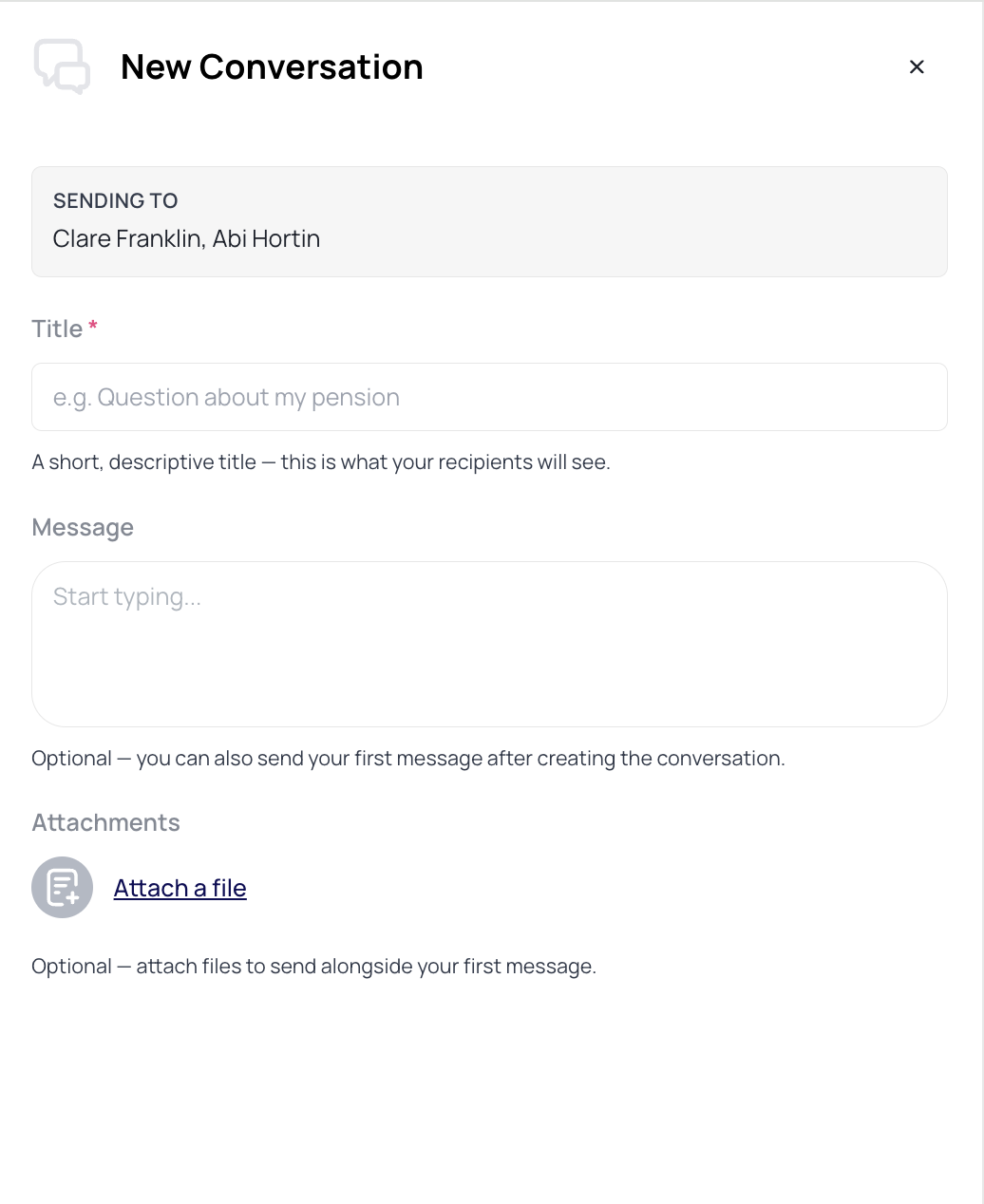
If there isn’t anyone in the ‘assigned team’ in your Update Basic Details > Service tab then the message will show as being sent to the ‘team at your firm who looks after you’.
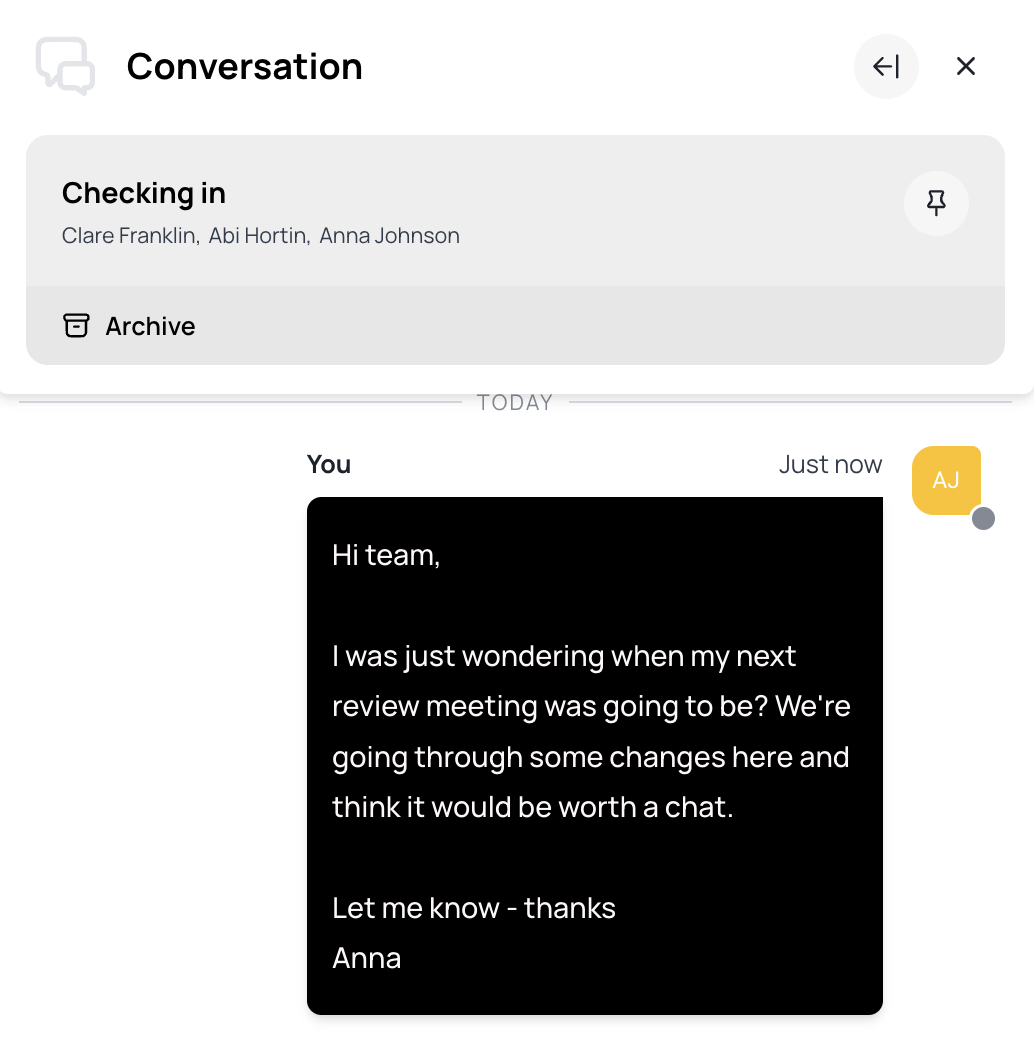
For accessibility purposes, messages are now displayed in clear to read colour / contrast blocks:
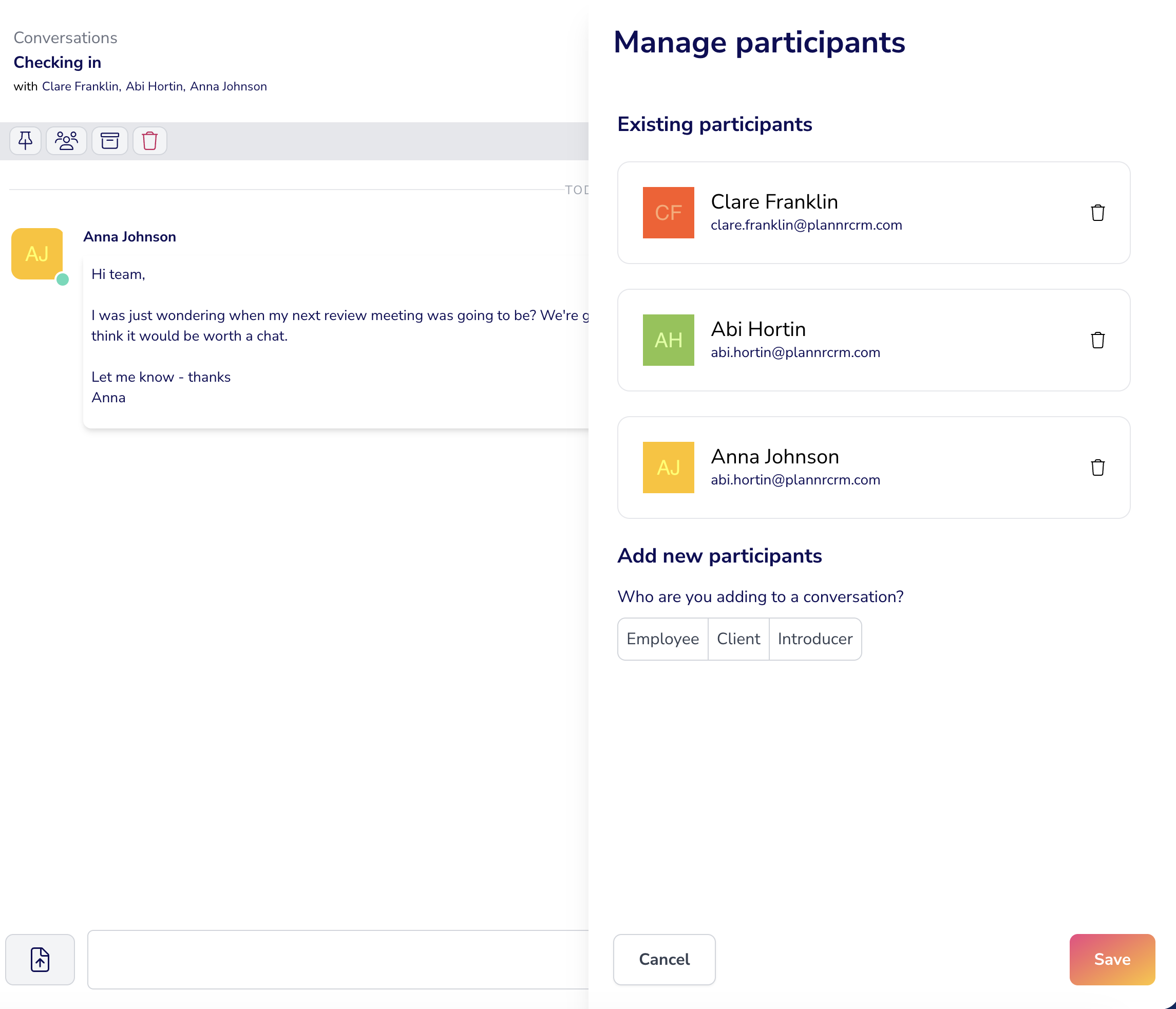
From the adviser portal perspective, if the conversation doesn’t warrant all members of the team being in the discussion, it’s simple to remove individuals by clicking on the participants icon. Useful if it’s something the admin team can deal with without needing adviser input. Equally other employees can be added, or the client’s partner, if the conversation needs opening up to more participants.
Starting a new thread in the adviser portal follows the same updated view, with the message recipients, title and content available in one screen.
Next up we have improvements to recording your risk scores in Plannr!
Where the risk profiling is completed off-Plannr and a score needs recording against a client record, we would historically just capture the individual’s rating along with a time horizon.
Now, you can add additional information where a risk score is being logged, but may not necessarily match the outcome of an ATR questionnaire.
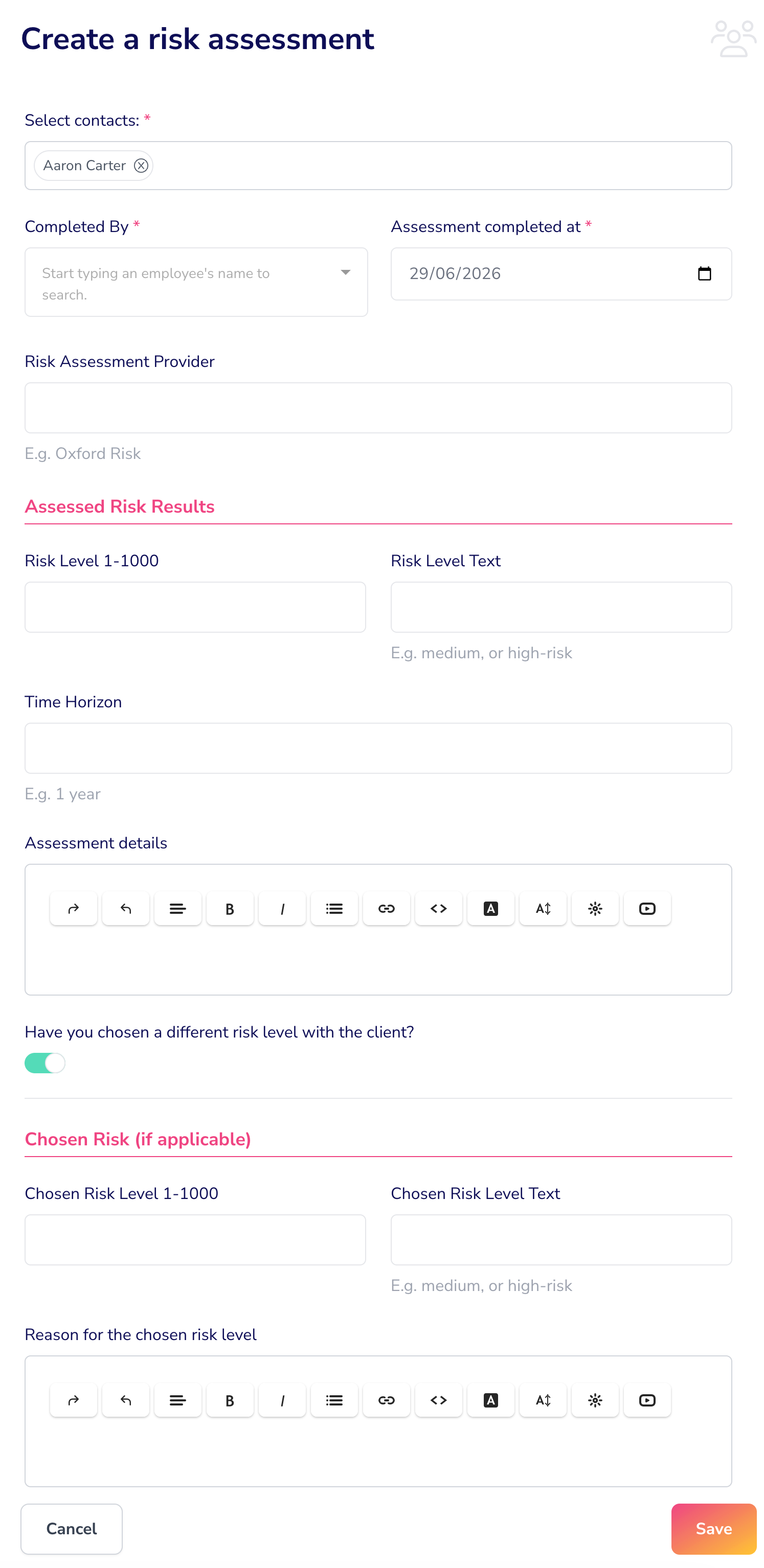
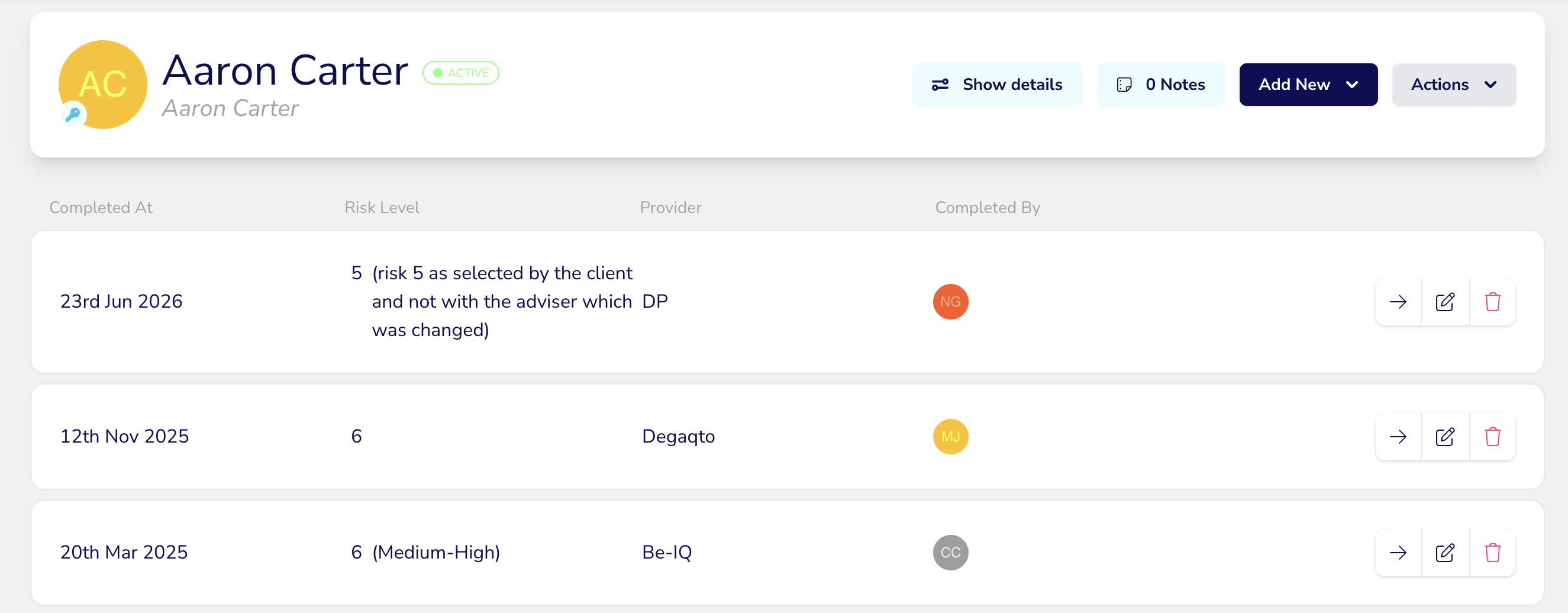
Along with some additional improvements to the data capture, you now have a clearer at-a-glance view of current risk ratings within the Work area of your client record.
Some of this was completed in readiness for an incoming integration with Dynamic Planner - so keep your peepers peeled for next month to see that one land!
Abi and the Plannr Team 💫