🚀 New in Plannr today!

Happy Tuesday 🎉 a few releases to announce this morning, let’s take a look!
New Business Export
Our new business export has had a little upgrade and now also features a couple of additional columns at your request. You’ll now see the firm name, and the created at date, for when the new business entry was added to Plannr. Useful!
Joint expenditure now syncs to your joint circles
The Sync to circle tool copies the expenditure held in a joint account's Joint column into the Shared column of a selected circle. This brings the shared expenditure into one place for use within the circle. This is part of a wider move to flesh out circle functionality, all planned for the coming year.
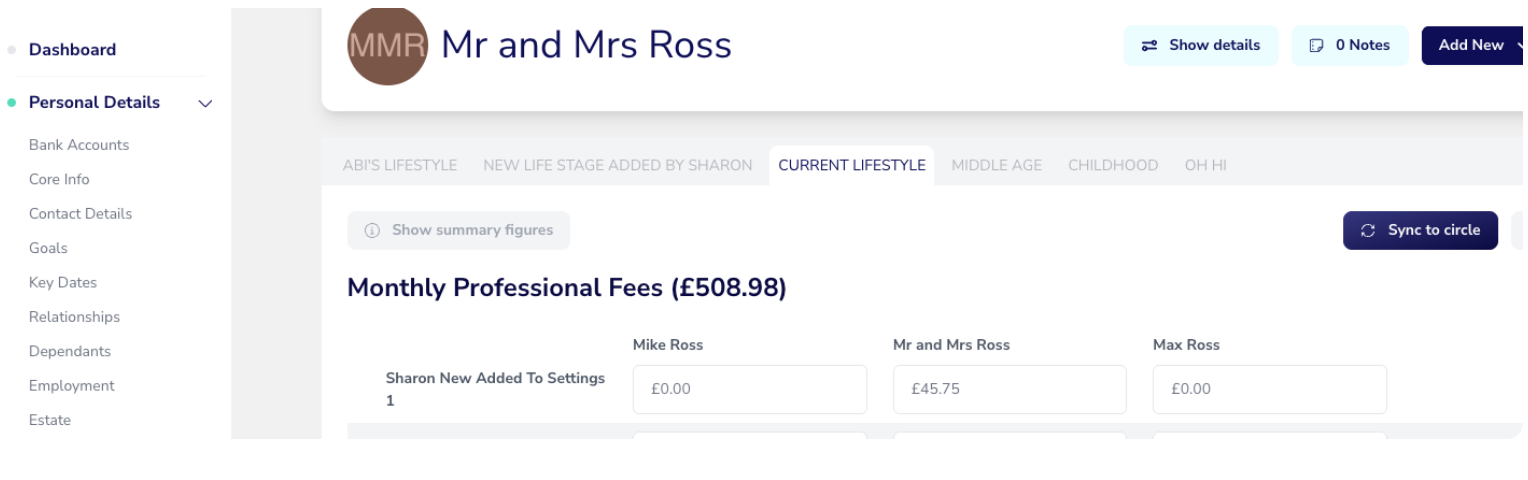
For ease, where you might have recorded a custom expenditure in the joint record, if that doesn’t exist in the destination circle we’ll automagically create that custom expenditure field for you when you hit sync.
In addition to this, we’ve added a new expenditure report! The Client or Circle Expenditure Import is a CSV import that mirrors the focused expenditure export. It supports both individual-client expenditure and shared circle expenditure.
Out of Office replies
Brand new to Conversations, we have added the ability to set an out of office message when you know you’re going to be away. Out of Office lets you set the dates you'll be away and a message your clients will automatically receive when they contact you.
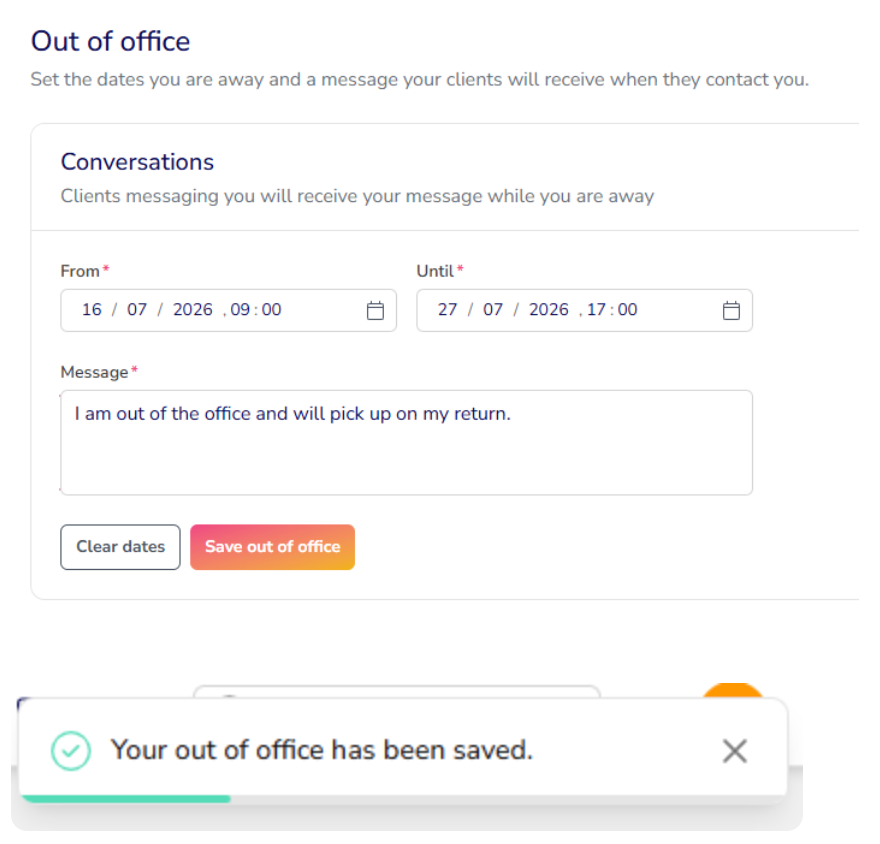
Head to Settings > Account > Out of Office to set this up!
Nothing to see here - RBAC Phase 1
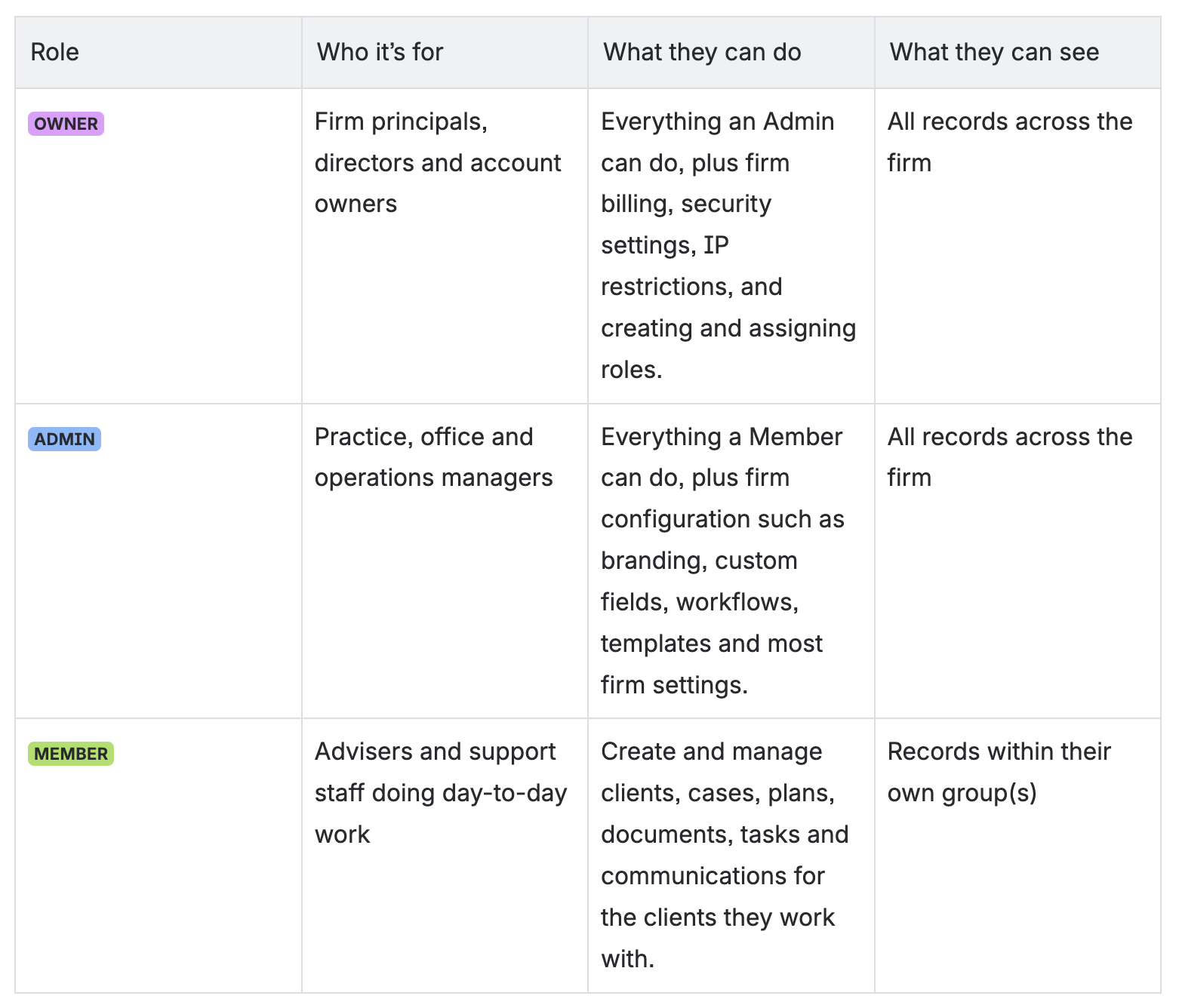
We have released phase 1 of the Role-Based Access Controls (RBAC) work and at this stage of the release, you should notice absolutely nothing different. This is an essential part of the process to open up the customisation functionality in the next release, but currently just mirrors our existing setup. This was a mammoth piece of work and huge kudos to the dev team for engineering something that touches every single piece of code. No mean feat! As a reminder:
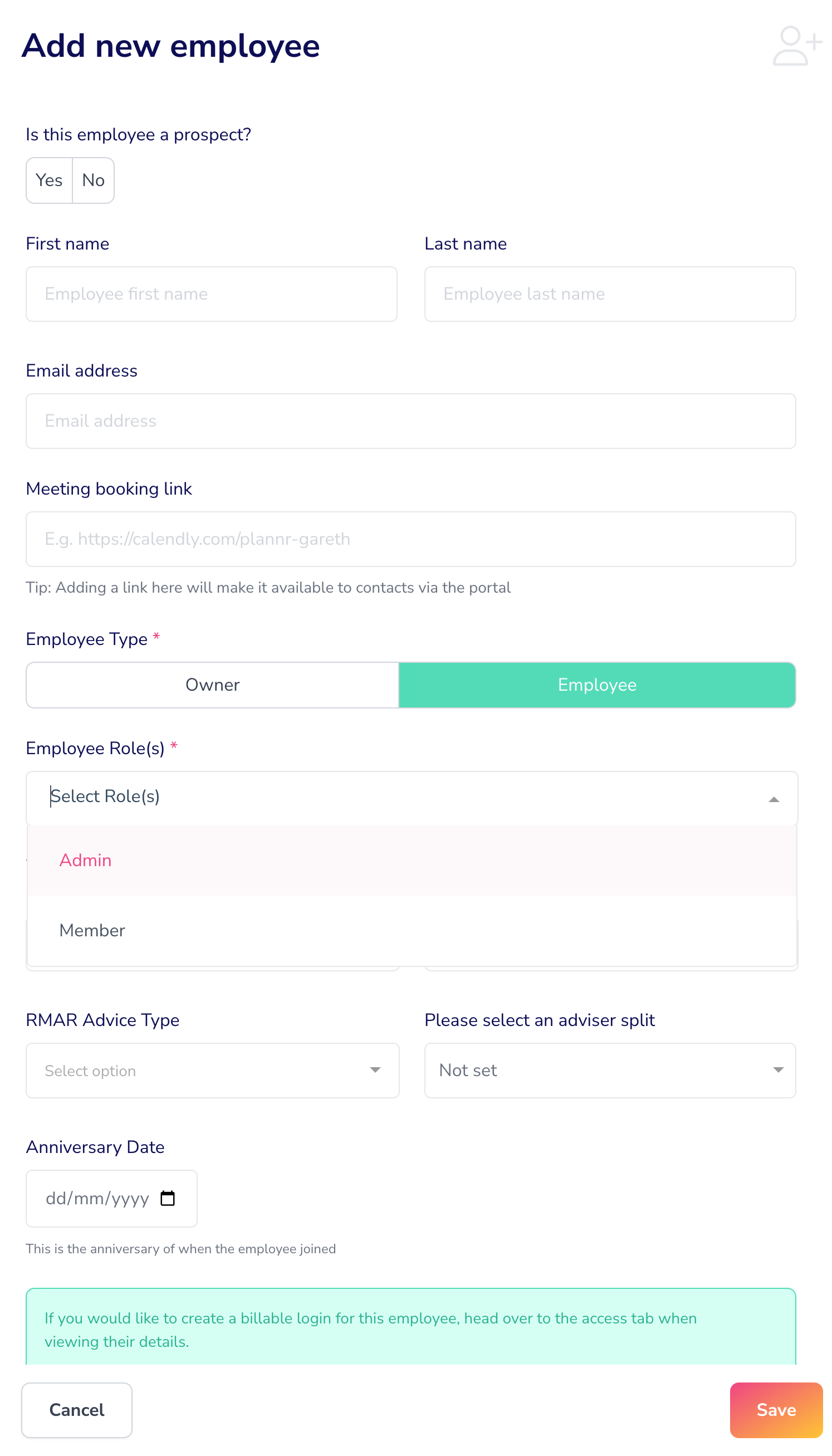
When you go to add a new employee you’ll still be offered the option to select whether they are an owner, admin or member, but in a slightly new layout:
✅ Nothing else changes for you. We have upgraded how Plannr manages access behind the scenes. Your three existing roles - Owner, Admin and Member - are recreated exactly as they work today. Everyone keeps the same access they already have, and there is nothing you need to do.
The benefit comes later: because access is now built from smaller building blocks, in future your firm will be able to create custom roles tailored to how your team actually works, so your employee list will be full of all the new roles you have defined. Phase 2 will be released in the next month, as the heavy lifting has been done!
Adding new clients to your fact finds
When adding a new person to a fact find, the system now checks whether the details entered match someone already in the fact find. If a match is found, the person is not added twice - your client will verify if the person they’re trying to add is the same individual.
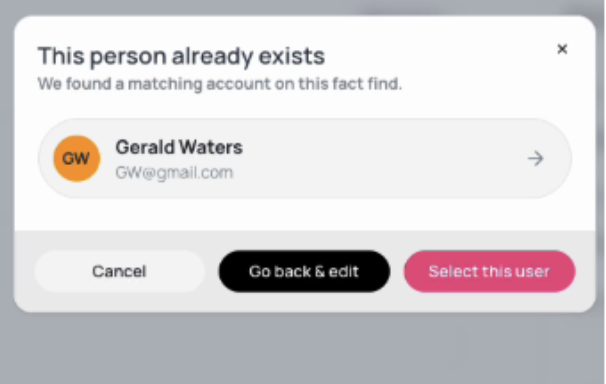
This prevents duplication of clients in your site when clients add other participants to their fact find.
That’s it for today! Have an amazing Tuesday!