New! Circles Access & Plan Visibility in the Client Portal
We’ve been talking about this one for a little while now, but we’re now able to deliver the long awaited circle portal access that you’ve all been asking for. This is currently to enable your circle participants to access their Wealth information for any circles they are members of. The rest of the client portal functionality (conversations, documents, etc) will be opening up at a circle level in the coming months.
So what’s new?
The headlines:
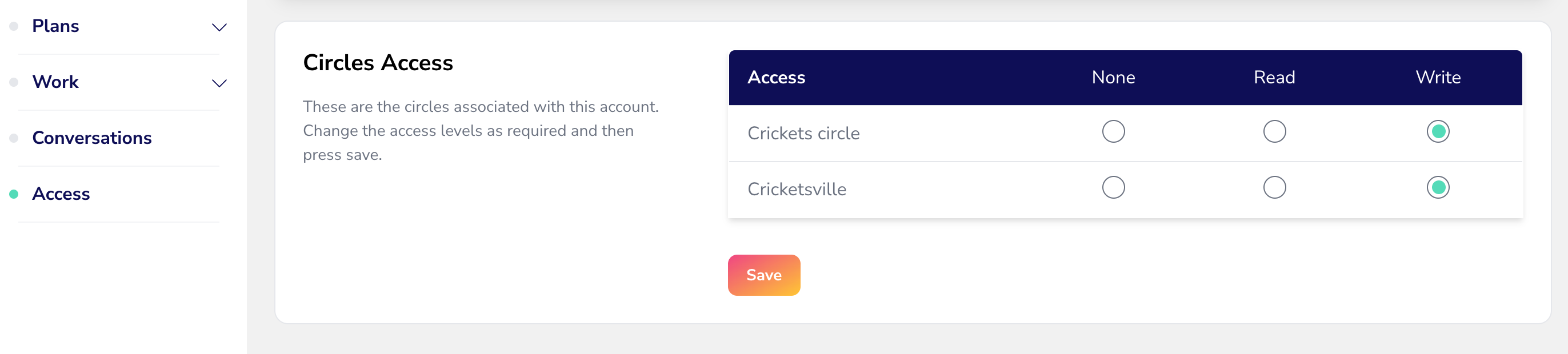
You can now choose at a client level which circles your clients have access to, in their client portals. You can find this in the Access area of the client record!
This will shortly also be accessible within the Circles page under Contacts but for now you’ll update these in each client record under Access. (See below for how to update this in bulk via our importers).
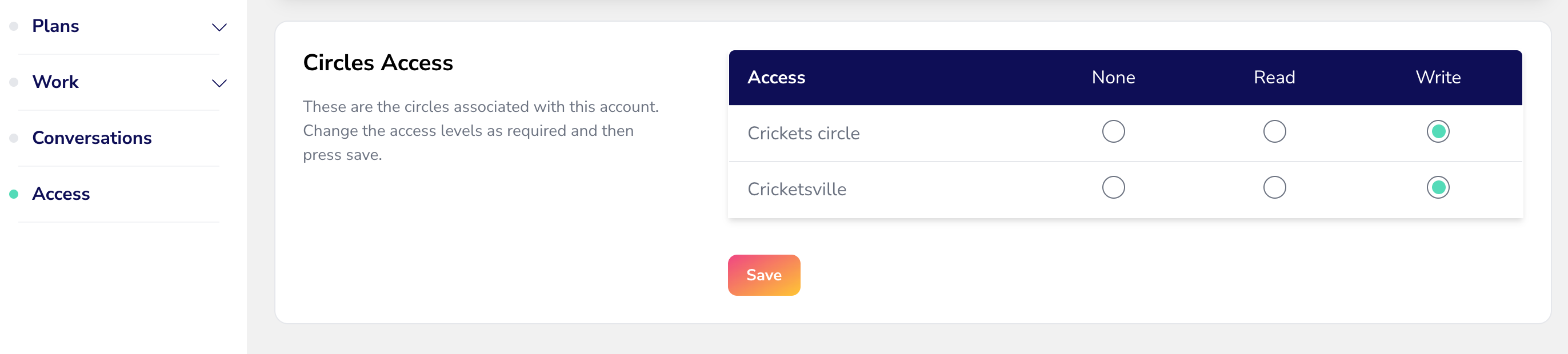
There are different permissions depending on whether you want them to be able to change anything in their circle record, or just view it:
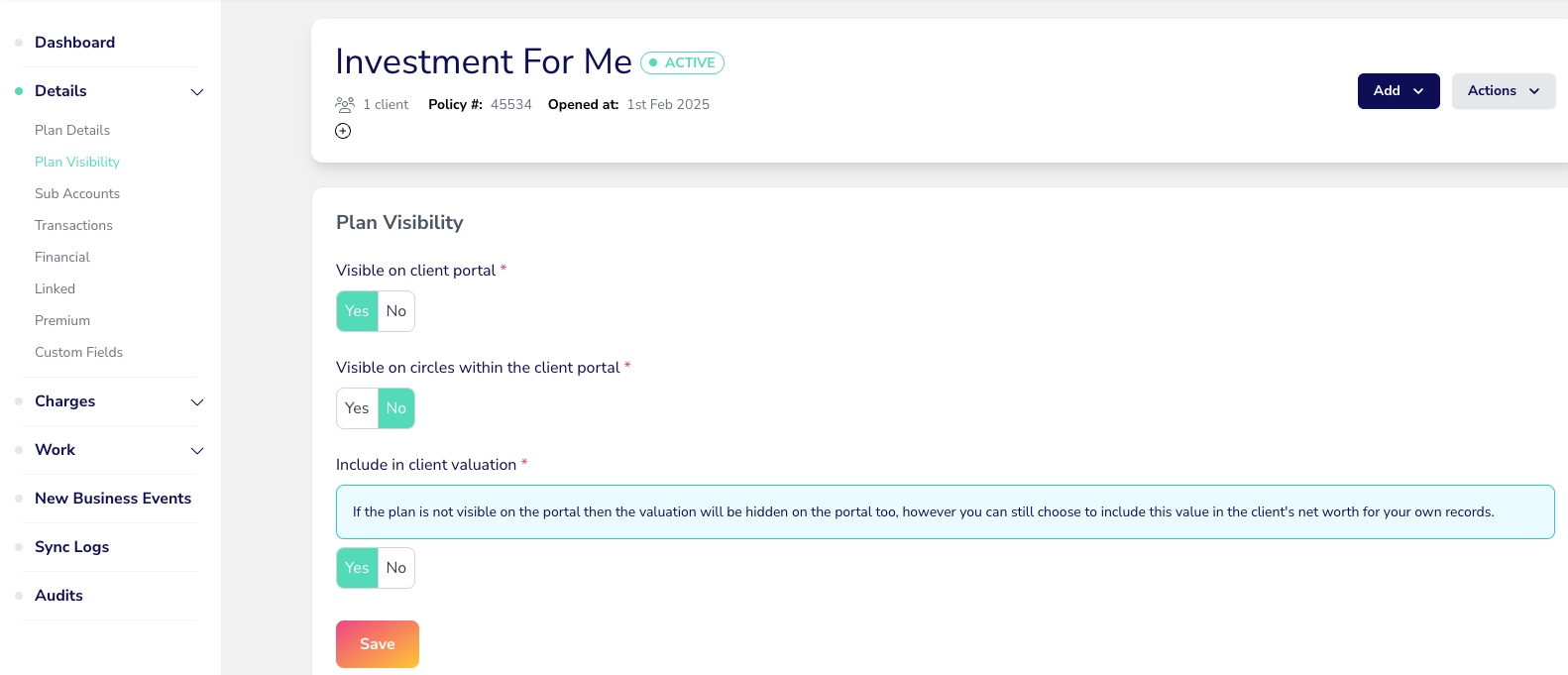
At a plan level, each plan now has a new Plan Visibility tab under Plan Details, for you to toggle if you want that plan to be visible to the client portal, and on circles in the client portal. This gives you the control over hiding plans that aren’t ‘ready’ to be shown on the client portal, either for your individual client, or to a circle they’re a member of (e.g. if a data feed hasn’t been setup for it yet).
We’ve removed the toggle in the Plan Details page for ‘Show on Joint Client’ as this plan visibility toggle replaces this and gives new enhanced controls over viewing plans within from within a circle too:
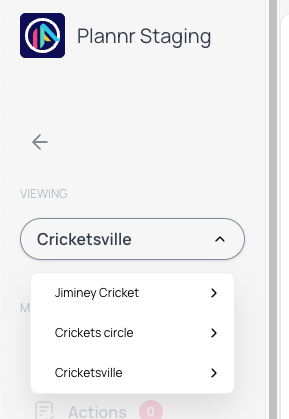
Once you have set your clients up with the correct access for their own record and any circles they’re also in - when your clients login to their portal they now have a dropdown menu in the side bar enabling them to switch between client and circle views:
This will give your clients visibility of their own personal wealth under their individual record, and also the whole values of any circles they are participants in.
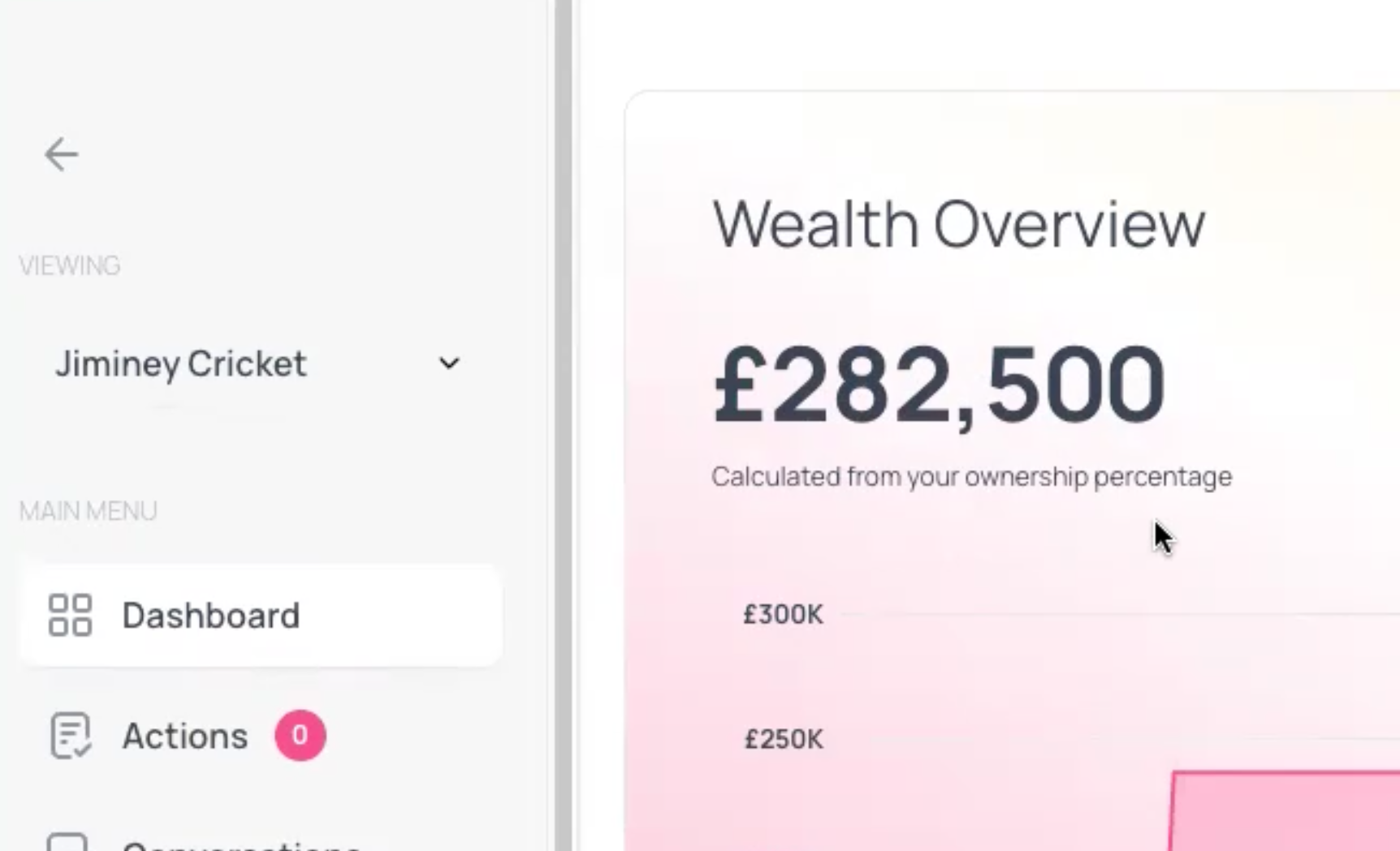
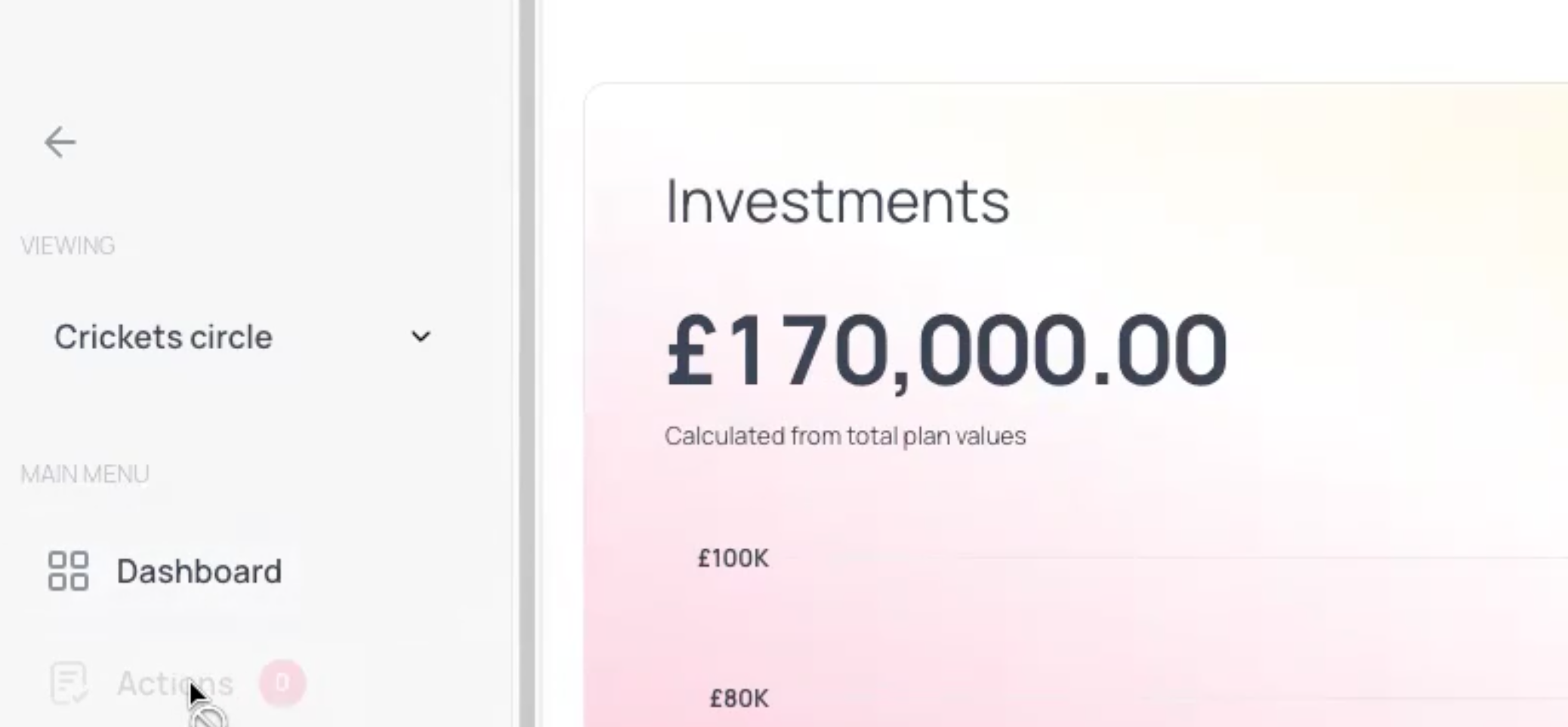
The plan graphs on the portal will now change depending on which view you are in (e.g. you will see either your share of an asset’s value when viewing your own client portal, or the total plan valuations for the assets held in a circle).
💫 This was based on feedback we had around joint client records only showing a 50% valuation where a couple jointly owned their home, for example - now your joint circles will show 100% of the plan value - and when an individual toggles to their own portal view, they’ll just see their share of the valuation in their wealth graph.
In their personal portal view (showing the value calculated from the client’s own ownership percentage):
Within a circle (calculated from total plan values, showing the 100% valuation view):
Finally, you can also use the plan import/export to update the plan visibility details in bulk if needed. Use of an asterisk in your csv files will determine whether a plan is visible within a circle or not! There’s further help on imports here and exports here.
Confused? Check out our help article for more information on all things Portal Access 💪🏼
Phew!
A lot to digest, but as always we recommend setting yourself up as a client in your Plannr site, adding yourself to new dummy circles and fleshing out your own records with lots of plan information - so you can see first hand how to manage plan visibility and circle accessibility when working with your clients.
Thanks as always for your feedback and suggestions for how you want client portal access to work for your circles - we’ve built this layer in to pave the way for the rest of the circles portal access to be opened up, and in readiness for the eventual closure of the legacy joint client records down the track, when all the joint client functionality is either matched or surpassed by circle functionality for joint clients and family groups.
In the meantime, enjoy playing with the new portal functionality and if you have any questions drop us a live chat in app!