Improvements: Automation Statuses & Log out Expiry
A couple of updates for you today, we’ve rolled out two quick improvements to the system. Let’s take a look.
Automation Status Page
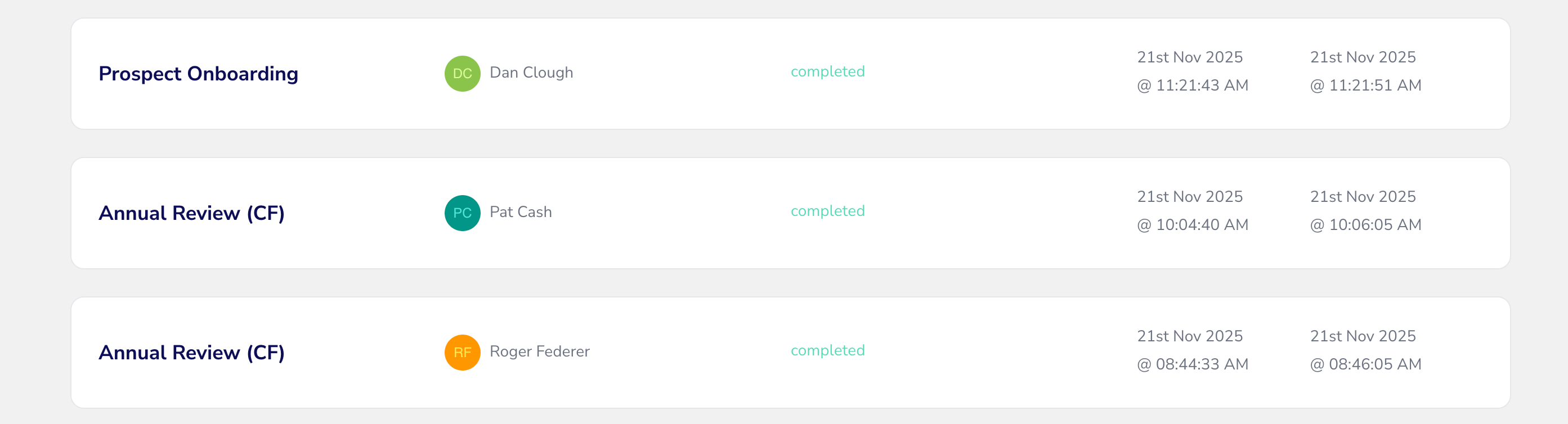
We’ve added in a column to your Automation status page which now shows which client the automation was run against. Hooray!
You can also filter against this list to pull the client information from all your automations that have fired historically.
In some circumstances, a name will not be displayed and this is due to the trigger type of the automation being a scheduled trigger (e.g. a date). Further enhancements will be coming to unlock this component too in the future.
Log out expiry time
The system log out expiry time has been tweaked to register each user’s session time, with the system setting currently at two hours. A user will now only see the session time out pop up box (Still here? Extend my session) if they have been inactive or idle in the system for 2 hours or more.
At that point, if the message is ignored, the system will log you out.
If you click to extend your session, the timer starts again to watch for another 2 hours of inactivity. No snoozing on the job! 💤
Also, just an aside, the issue with seeing a negative time stamp in the ‘Extend my session’ message has been fixed, so no more -1,293 hours inactive updates.