🎉 NEW: Wealth Portal by Plannr (mobile app) is now live in the app stores!

Ahead of the official launch at the end of this month, we have released the Wealth Portal by Plannr app in the Apple and Google Play stores now for our existing users to download!
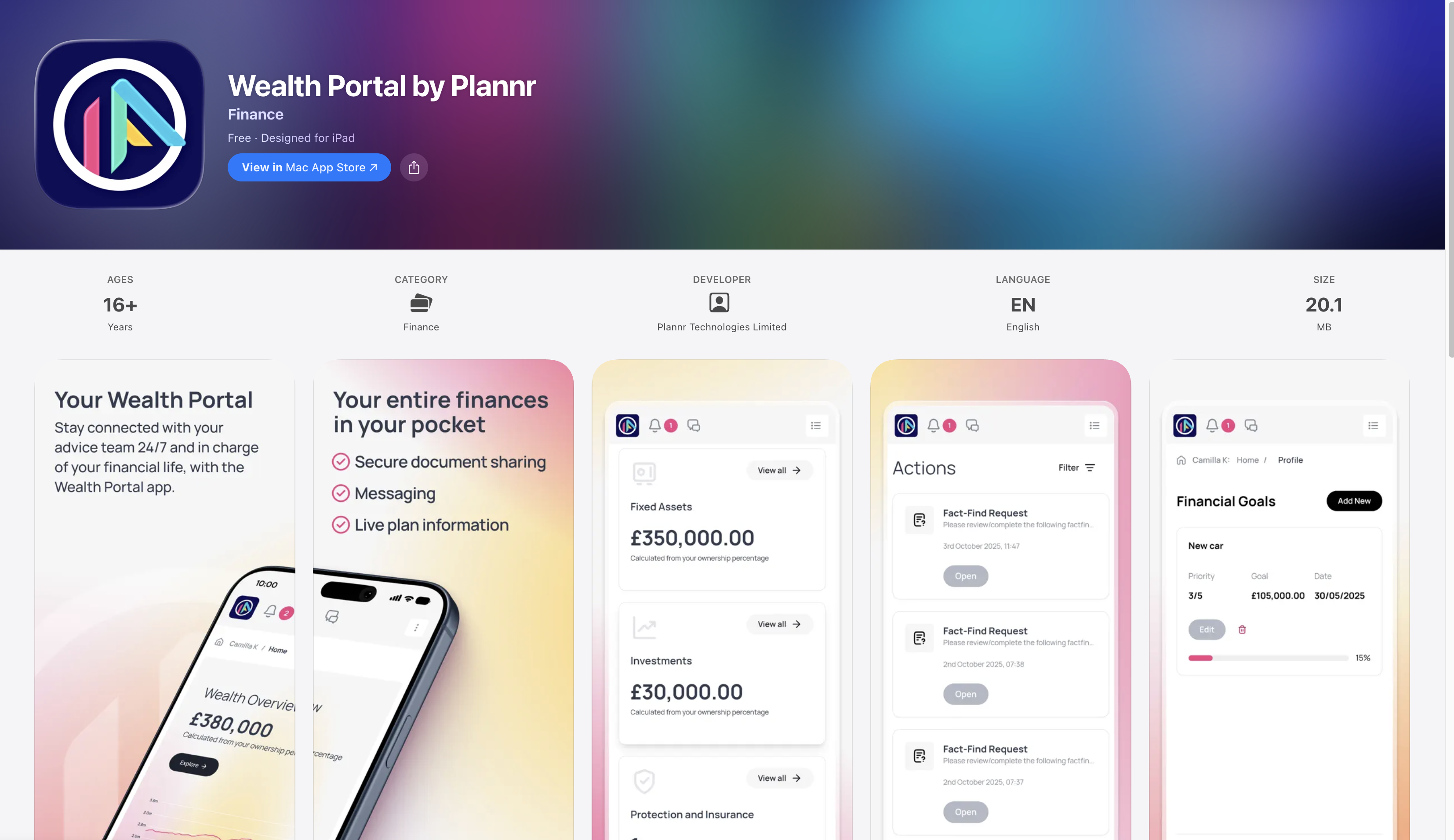
We’re incredibly excited to put the app in your hands so you can explore it, get comfortable with it, and begin rolling it out to your clients.
This launch marks a major milestone for the Plannr team and for you as our users. Thank you for your patience while we built something truly market-leading; not a bolt-on but a best-of-breed experience designed from the ground up and intrinsically connected to your Plannr database.
Our hope is that it feels like a straightforward extension of your existing client relationships; giving clients easy access to you and their information in their pockets, so they can stay on top of their finances and stay engaged with their advice team on the go.
We’re all about building a seamless, beautifully connected digital experience. It’s a practical evolution supporting how you deliver advice through Plannr 🚀 Woohoo!
Here’s the headlines
👆🏼 You need to have a client portal login to use it - this isn’t an adviser based app, it’s for your clients, but we heartily recommend setting yourselves up as dummy clients in your sites and giving yourselves a portal login - and then using your credentials to access the mobile app to see what the client experience will be like when you roll it out to them. If you use the same email address for your client portal and your adviser site, you will see your adviser site (greyed out) in the account switcher in app, but won’t be able to sign in to it.
✌🏼 The codebase for the mobile app is intentionally the same as that of the web-based client portal and therefore, the settings you have given your clients for their portal logins will be mirrored in their mobile app access like-for-like. e.g. if they have Wealth access toggled on in their client portal, they’ll see that on the web-based login as well as the mobile app.
🤟🏼 We’re rolling out the Plannr portal to all users today, however, should you wish to white label the app (e.g. your clients will see a firm branded version of your client portal in the app stores, instead of Wealth Portal by Plannr) this will be available very shortly, with a how-to guide coming soon. This will be a chargeable offering, and the app will be yours to manage (with assistance from the Plannr team). Once inside the app, your firm branding will be on display, just like in the web-based client portal.
The New Bits
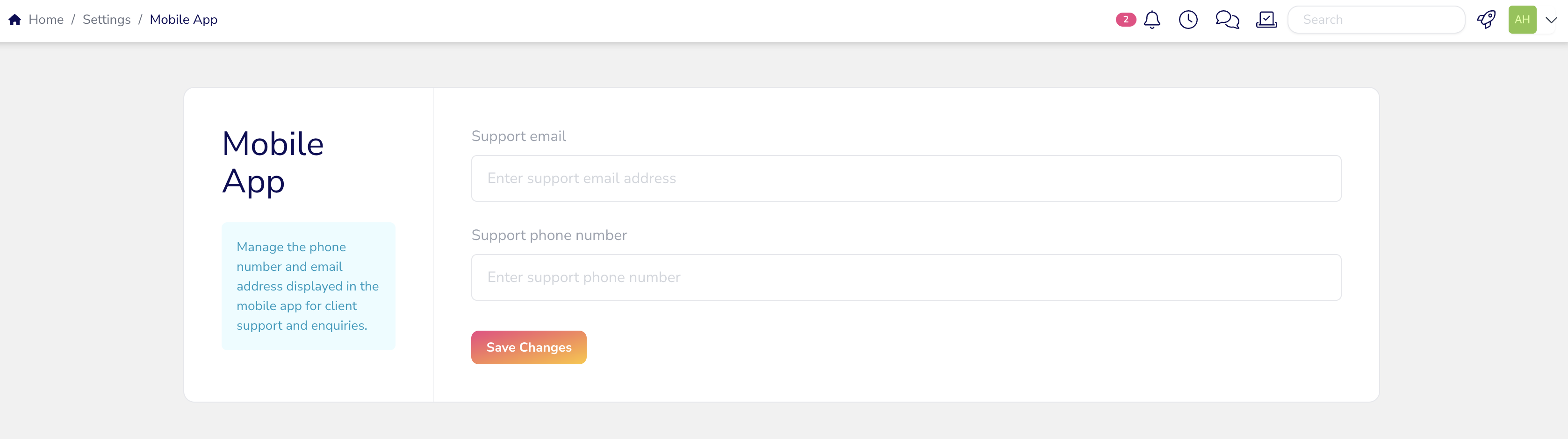
In the clients’ app they will see a link to Support which will be offering them access to your team if they have any questions with their mobile app - you will need to configure who they contact in your Firm Settings in Plannr.
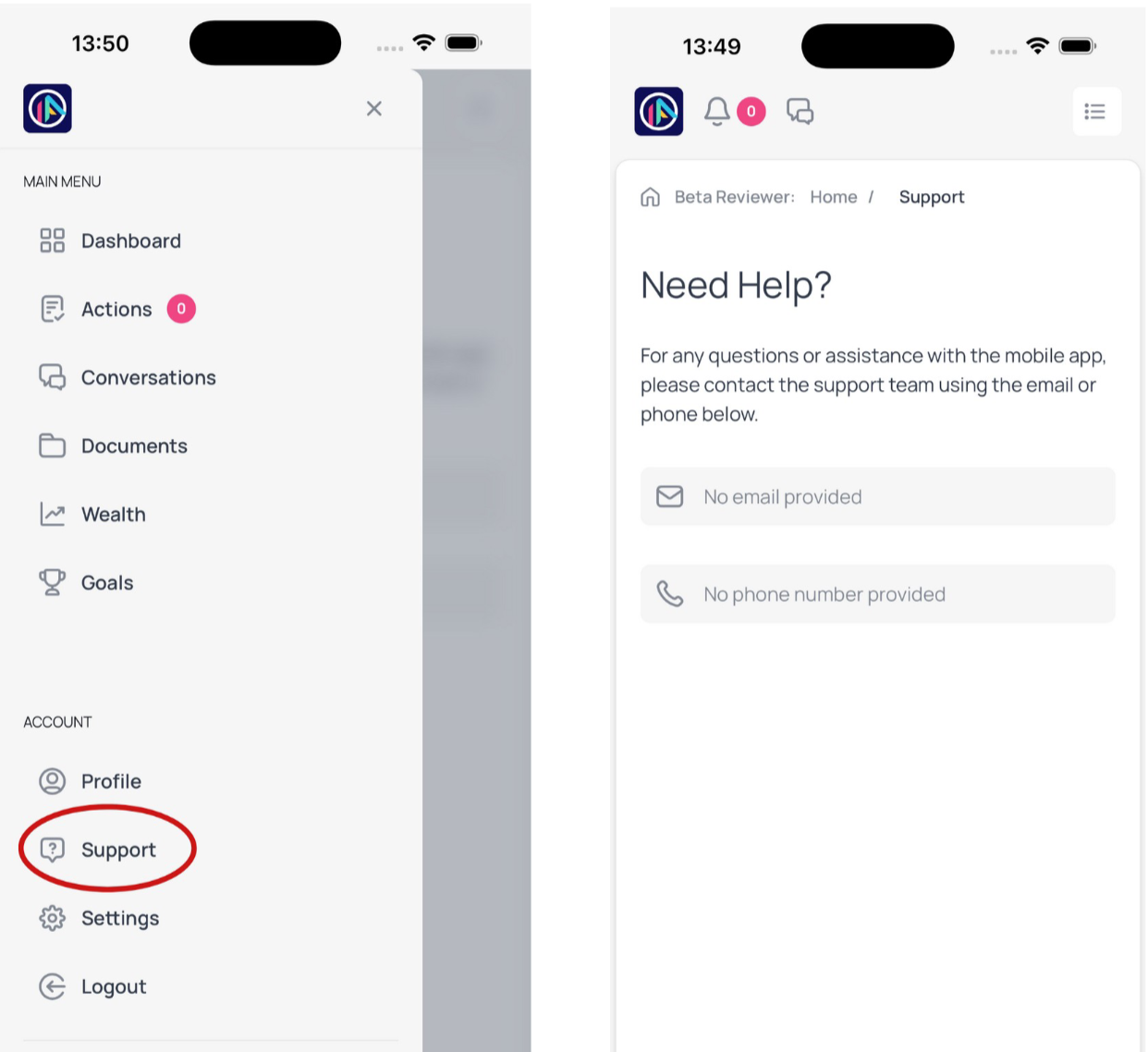
Head to the new Mobile App tile in Settings to add your preferred contact details here:
Another thing to consider before rolling out to your clients is that on first download, they will be invited to allow push notifications. Declining them at this stage just means they will need to reactivate them in their device settings later on, should they change their mind.
In addition, we have enabled biometric login (face ID or fingerprint) which, for their first login, is not required. However, from the second app launch onward, they will be prompted to enable biometric authentication if they wish to. This will need to already be established on their device in order to take advantage of it, but if you’re guiding them through the download and login process, you may wish to let them know about this.
Once they’re all logged in and happily using the app, a new feature to be aware of!
📂 Uploading documents has now become easier - they can use their photo gallery/camera roll to share images with you, as well as upload files from their phones and scan documents using the device’s camera. They’ll need to give permissions to access these areas on their device, the first time they use it.
Plenty more for you to explore, go and download the app today and let us know what you think! Usual support article here.
With thanks to all our beta testers who have been diligently trialing the mobile app for us these past couple of months, we really appreciate your feedback and reports on the functionality 👏🏼
Search Wealth Portal by Plannr in the Apple Store & Google Play Store now.